


I have an Epson Perfection scanner for scanning knives.
When I scan knives with satin or brushed finish blades, the scans come out perfect and the blades look great with lots of detail.
When I scan mint knives with mirror finished blades, the scans make the blades appear to be dark blue. Of course, this makes a mint knife look like it has been well used.
Does anyone have any helpful hints about adjusting the scanner or the finished picture? I have tried using a photo editing program to adjust "contrast" and "brightness"...but no real improvement.
Thanks
Scanning Knives - Question
-
knifeaholic
- Gold Tier

- Posts: 5599
- Joined: Fri Feb 03, 2006 3:41 am
- Location: Central Massachusetts
Scanning Knives - Question
- Attachments
-
- 6249 1.jpg (12 KiB) Viewed 3071 times
-
stockman
- Gold Tier
- Posts: 4120
- Joined: Mon Jul 24, 2006 3:19 pm
Re: Scanning Knives - Question
I have a Epson Stylus Photo RX620 my scans go from poor to worse.
Stockman
Stockman
-
BIGHEAD

- Posts: 2375
- Joined: Thu Jun 07, 2007 3:42 am
- Location: MADISON,AL
Re: Scanning Knives - Question
Not to Pi-- you off but why not buy a camera?
-
knifeaholic
- Gold Tier
- Posts: 5599
- Joined: Fri Feb 03, 2006 3:41 am
- Location: Central Massachusetts
Re: Scanning Knives - Question
Good point - I have two digital cameras...and I get even worse results using them.BIGHEAD wrote:Not to Pi-- you off but why not buy a camera?
Its just that I see people post beautiful flawless scans of knives all the time...so there must be a way to do it properly.
-
BIGHEAD
- Posts: 2375
- Joined: Thu Jun 07, 2007 3:42 am
- Location: MADISON,AL
Re: Scanning Knives - Question
Don't know I have a cheap camera and have good results.
I think this a fine example Camera under $100

I think this a fine example Camera under $100
-
Hukk
- Posts: 4546
- Joined: Mon Mar 06, 2006 4:04 am
Re: Scanning Knives - Question
I get good results from a camera, never used a scanner or a light box. The main problem I see in out of focus pictures is the the photographer is taking a picture to close to the knife. I have a maximum 40x zoom, many times I'm standing 8 feet away when I take the picture. Most folks are trying to get just to close to the knife. Use an adjustable lens or even a fixed lens and keep taking pictures. Sart at 3 feet and work back to 10 feet. Take a look at the pictures and see what looks best. Some folks use a tripod, I often use a stick to balance on to get a steady picture.
Keep a record and see what your best distance is. Here is a description of the knives, just average pictures, but they get the job done.
The BBK Knife, RARE as all get out, lucky to have it.
Oktoberfest with 1 of 3 Prototype Genuine Heart Abalone engraved on the back. It is documented in the 4th generation made of 1st generation parts and abalone shell handles from the 4th generation.
Cuttin' Horse 1 of 3 Prototype Genuine Heart Abalone engraved on the back. It is documented in the 4th generation made of 1st generation parts and abalone shell handles from the 4th generation.
The great white pearl proto, This is one of Jim Parkers first prototypes with script writing. I have about 15 knives that are his first prototypes - They have PRINT prototype engraved on the back of the master blade.
Beautiful 3-7/8 congress here's one of those Print Prototype models he first received, most likely one of the rarest proto's Parker ever had. This is 1 of 15 or so that Jim Parker had that I now have.
The Coonstripe Bulldog Brand Proto #2, No Bulldog tang stamp, blade made by Rostfrei - outsourced. NO Hammer Forged Solingen Germany on ths 1993 Prototype. One of those Print Prototype models he first received, most likely the rarest proto's Jim Parker ever had.
It appears that the 5 Calf Roper lockbacks with BULLDOG BRAND PROTO #2 that I have are the same exact knives that were used for the catalog photo-shoot. Look at the color patterns and how well they match up to the catalog. THE COLORS are DIFFERENT, but THE PATTERNS ARE THERE!
These will all be sold, $200 EACH is what I will ask, discount and catalog for this Ultra Rare CALF ROPER Set goes to whom ever wins the 5 knife set. A very rare and unique oppertunity to own these with shipping invoices or COA's signed by Achim Gronauer and Jim Parker.
NOW, All of these pictures were taken outdoors for natural light and from 3 to 8 feet away. I did not use the tripod, I did get my mug into some of the bolsters. I just kept practicing until I got what I wanted with digital. Take a lot of pictures and keep what you like. I have taken as many as 25 or 30 picturs of the same knife. A couple times more than that, until I got what I wanted! GOOD LUCK & just practice - over and over, you will end up surprising yourself!
Keep a record and see what your best distance is. Here is a description of the knives, just average pictures, but they get the job done.
The BBK Knife, RARE as all get out, lucky to have it.
Oktoberfest with 1 of 3 Prototype Genuine Heart Abalone engraved on the back. It is documented in the 4th generation made of 1st generation parts and abalone shell handles from the 4th generation.
Cuttin' Horse 1 of 3 Prototype Genuine Heart Abalone engraved on the back. It is documented in the 4th generation made of 1st generation parts and abalone shell handles from the 4th generation.
The great white pearl proto, This is one of Jim Parkers first prototypes with script writing. I have about 15 knives that are his first prototypes - They have PRINT prototype engraved on the back of the master blade.
Beautiful 3-7/8 congress here's one of those Print Prototype models he first received, most likely one of the rarest proto's Parker ever had. This is 1 of 15 or so that Jim Parker had that I now have.
The Coonstripe Bulldog Brand Proto #2, No Bulldog tang stamp, blade made by Rostfrei - outsourced. NO Hammer Forged Solingen Germany on ths 1993 Prototype. One of those Print Prototype models he first received, most likely the rarest proto's Jim Parker ever had.
It appears that the 5 Calf Roper lockbacks with BULLDOG BRAND PROTO #2 that I have are the same exact knives that were used for the catalog photo-shoot. Look at the color patterns and how well they match up to the catalog. THE COLORS are DIFFERENT, but THE PATTERNS ARE THERE!
These will all be sold, $200 EACH is what I will ask, discount and catalog for this Ultra Rare CALF ROPER Set goes to whom ever wins the 5 knife set. A very rare and unique oppertunity to own these with shipping invoices or COA's signed by Achim Gronauer and Jim Parker.
NOW, All of these pictures were taken outdoors for natural light and from 3 to 8 feet away. I did not use the tripod, I did get my mug into some of the bolsters. I just kept practicing until I got what I wanted with digital. Take a lot of pictures and keep what you like. I have taken as many as 25 or 30 picturs of the same knife. A couple times more than that, until I got what I wanted! GOOD LUCK & just practice - over and over, you will end up surprising yourself!
- Attachments
-
- PROTOTYPE on the reverse side. BBK on the tang, Likely one of the first Bulldog prototypes possibly late 70's
-
- 1 of 3 Prototype Genuine Heart Abalone engraved on the back. It is documented in the 4th generation made of 1st generation parts and abalone shell handles from the 4th generation.
-
- Cuttin' Horse 1 of 3 Prototype Genuine Heart Abalone engraved on the back. It is documented in the 4th generation made of 1st generation parts and abalone shell handles from the 4th generation.
-
- This is one of Jim Parkers first prototypes with script writing. I have about 15 knives that are his first prototypes - They have PRINT prototype engraved on the back of the master blade.
-
- THE OTHER SIDE --This is one of Jim Parkers first prototypes with script writing. I have about 15 knives that are his first prototypes - They have PRINT prototype engraved on the back of the master blade.
-
- Here's one of those Print Prototype models he first received, most likely the rarest proto's Parker ever had.
-
- NO FIGHTING BULLDOGS on ths 1993 Prototype. One of those Print Prototype models he first received, most likely the rarest proto's Parker ever had.
-
-
- Something interesting.
Hukk
-
BIGHEAD
- Posts: 2375
- Joined: Thu Jun 07, 2007 3:42 am
- Location: MADISON,AL
Re: Scanning Knives - Question
Hukk I agree take lots of pics and weed the bad ones out. I also take most photos outdoors for natural light and never never never use a flash.
-
Paul M
- Posts: 172
- Joined: Mon Mar 05, 2007 8:37 pm
Re: Scanning Knives - Question
knifeaholic- try scanning the knife in different positions on the scanner bed. With scanners the light source and sensor are close together.
If the blade is smooth (Mirror) finish and angled away from the source no light will bounce back. Satin or crocus finish have fine ridges that will catch the light. I'm sure if you scan that same knife rotated 90 or 180 degrees it will look better. I hope this has not added to the confusion. Good luck- Paul
If the blade is smooth (Mirror) finish and angled away from the source no light will bounce back. Satin or crocus finish have fine ridges that will catch the light. I'm sure if you scan that same knife rotated 90 or 180 degrees it will look better. I hope this has not added to the confusion. Good luck- Paul
Paul M
-
smiling-knife

- Posts: 3365
- Joined: Mon Feb 13, 2006 8:39 pm
- Location: Bedford, UK
Re: Scanning Knives - Question
I've never had much success with scanning knives so I use a camera. Upnorth has excellent scans. Maybe he will drop in to provide some advice.  s-k
s-k
s-kRust Never Sleeps
-
Hukk
- Posts: 4546
- Joined: Mon Mar 06, 2006 4:04 am
Re: Scanning Knives - Question
I forgot that part - I NEVER use a flash either - even when the auto mode is asking for one.BIGHEAD wrote:Hukk I agree take loys of pics and weed the bad ones out. I also take most photos outdoors for natural light and never never never use a flash.
Hukk
-
Blade Runner
- Posts: 1109
- Joined: Sat Feb 11, 2006 1:50 am
- Location: Gainesville Georgia
Re: Scanning Knives - Question
Steve, maybe Charlie(upnorth) will see your post, and help out. He's da man when it comes to a scanner.
Gary
Gary
-
upnorth

- Posts: 2959
- Joined: Sun Oct 15, 2006 8:43 pm
- Location: Vancouver, Canada
Re: Scanning Knives - Question
I think it is the equipment, and not the operator, that does a good job in my case. I use an old (10 years) but state of the art AGFA, designed for editing photography. I get shiny "blackouts" occasionally, but a change of position or angle usually mitigates it. I wonder if a filter would help?? Or position; it's easy to scan upside down, or sideways, and flip it in photoshop. Some etches continue to elude me.
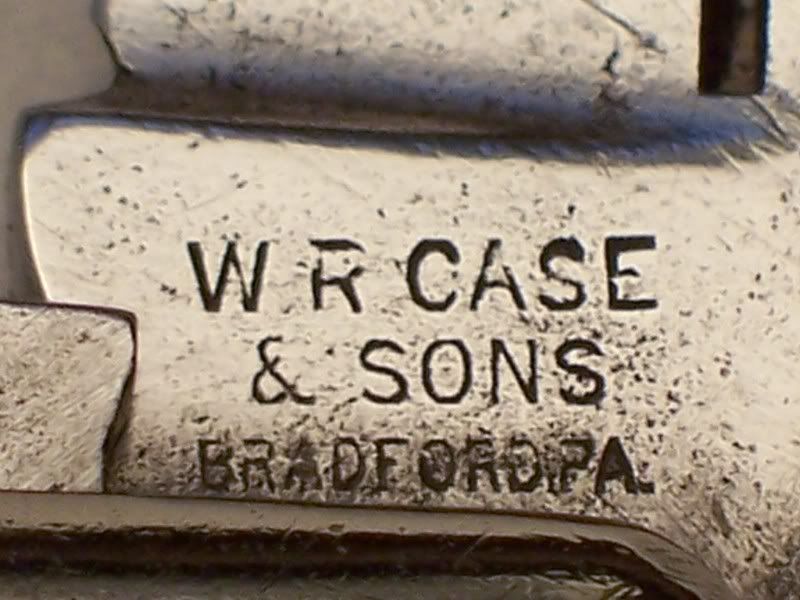
One thing I routinely do is scan 170% for the knife, and 340% or so for tangs. Seems to improve the detail immensely! You've all clicked those pictures up way over life size!
One thing I routinely do is scan 170% for the knife, and 340% or so for tangs. Seems to improve the detail immensely! You've all clicked those pictures up way over life size!
- Attachments
-
Utopia!! A chicken in every pot!! And a Barlow in every pocket!!!
Johnnie Fain would have approved!
1949 - 2009
Johnnie Fain would have approved!
1949 - 2009
-
Hukk
- Posts: 4546
- Joined: Mon Mar 06, 2006 4:04 am
Re: Scanning Knives - Question
Looks like you scan better than anyone I know.
Sometimes I take a picture and just use the software to copy it then to crop one picture so that just a picture of the tang fills up the entire field of view. Then I can take the other and rotate it, crop it, darken or make it lighter whatever is needed.
Although you do take some great scans, I just stick to the camera. With a camera and software combination, I am just far more comfortable. I think I get far more out of it with a camera and of course the software. I like that whittler on the left, nice and they are fun to customize. I've been toying with the idea of putting an extra backspring for the master blade. It's been a while since I've seen a 3 spring whittler.
Sometimes I take a picture and just use the software to copy it then to crop one picture so that just a picture of the tang fills up the entire field of view. Then I can take the other and rotate it, crop it, darken or make it lighter whatever is needed.
Although you do take some great scans, I just stick to the camera. With a camera and software combination, I am just far more comfortable. I think I get far more out of it with a camera and of course the software. I like that whittler on the left, nice and they are fun to customize. I've been toying with the idea of putting an extra backspring for the master blade. It's been a while since I've seen a 3 spring whittler.
Hukk
-
Blade Runner
- Posts: 1109
- Joined: Sat Feb 11, 2006 1:50 am
- Location: Gainesville Georgia
Re: Scanning Knives - Question
It's hard to beat Charlie's scans, but as hulk say's a camera can do a pretty fair job if you know a few tricks.

-
Blade Runner
- Posts: 1109
- Joined: Sat Feb 11, 2006 1:50 am
- Location: Gainesville Georgia
Re: Scanning Knives - Question
Even on tang shots. Let me know Steve if you need help with the Camera.
-
redferd

- Posts: 591
- Joined: Thu May 10, 2007 4:40 pm
Re: Scanning Knives - Question
I scan some of my knives but the scanner is not as good as my digital camera which I don't think is that much better. I took your photo and put it in Microsoft Picture Office Manager and lightened it a little but the blades still look black. When taking a photo I have to look at what the camera is really seeing not what I am seeing. I look at the pre-photo and I see nice shinning blades but the camera is seeing black or colored blades. So I have to keep adjusting the light and moving the camera to and fro and fooling with the lens. Sometimes it works but most of the time the camera takes only adequate photos. Below is your knife with the Microsoft Picture Office Manager. I did make a "light box" but it only works occasionally getting good photos. The next time you scan a knife in your scanner, try putting a white cloth or paper over top the knife so the light won't escape around the edges.
- Attachments
-
- knife1.jpg (10.74 KiB) Viewed 1851 times